Artwork Specifications for Poster Graphics
Powerpoint, Word & Excel
 Microsoft Powerpoint, Word and Excel users should save their files as a PDF to
ensure fonts and images print correctly. We can scale your PDF file
to any poster size, e.g. create an A4 document and we can output your poster
to A1 size.
Microsoft Powerpoint, Word and Excel users should save their files as a PDF to
ensure fonts and images print correctly. We can scale your PDF file
to any poster size, e.g. create an A4 document and we can output your poster
to A1 size.
- Powerpoint users may find the FAQ helpful for setting up a custom page in Powerpoint to produce a poster.
DTP Applications


 Supported DTP applications include InDesign, Photoshop, Illustrator and of course Adobe PDF documents.
Images - Image files should be at least 75 dpi @ 100% of the final output size or 100 dpi @ 75% of the final output size or 300 dpi @ 25% of the final output size. Do not use images taken from web pages as resolution is likely to be low.
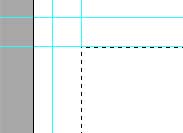 Crops & Bleed - Please do NOT add any crops or bleed to your artwork.
Black - Anywhere you use black, define it as cyan=20%, magenta=20%, yellow=20%, black=100%
Pantones - Use Pantone "solid to process" guide for PMS references supplied for colour matching.
Photoshop - In Photoshop please flatten all images and don't use extra channels. Convert all duotone and RGB images to CMYK. Save all images as EPS (encoding JPEG Maximum quality).
Fonts - Any language fonts other than English should be converted to outlines. "Select all" in Illustrator & Freehand and set attributes to 9600 dpi. Please be sure to include both screen and printer (PostScript) versions of the fonts used in both the document and in any EPS files supplied in case changes are necessary. These are found in the system/fonts folder on your Mac or in the Windows/system folder on your PC.
Collect for Output - Be sure to include all source files, graphics and fonts with your job. Use prepress packaging commands such as "Collect for Output", this collects all linked images, logos and fonts into one folder.
Important - For best results, please provide a PDF or printed colour proof with your files as various colour output devices interpret colour differently.
Zip Files - If using a compression program, take your file(s) and compress them into one .zip, .sit or .sea file. If you don't have a compression program or need instructions to compress your file(s), you may download a free version from: Stuffit or WinZip.
PDF Files - PDF is a universal file format that preserves all of the fonts, formatting, colours and graphics of any source document, regardless of the application and platform used to create it. You can create a high quality, compact PDF file for high resolution output using Adobe Acrobat. PDF files should be distilled at the highest setting (press) and include all fonts used.
Artwork Charges - Any artwork time required to bring files up to a usable standard will be charged at £60.00 per hour.
Billboard Artwork
Minimum recommended page sizes for billboard artwork:
- 96 sheet: 3048mm x 762mm ( 25% of final billboard poster size)
- 48 sheet: 1524mm x 762mm ( 25% of final billboard poster size)
- 32 sheet: 1016mm x 762mm ( 25% of final billboard poster size)
- 16 sheet: 508mm x 762mm ( 25% of final billboard poster size)
- 4 sheet: 254mm x 381mm ( 25% of final billboard poster size)
Photoshop - 25% @300dpi (CMYK) of final billboard poster size
For more technical information or advice on preparing your billboard artwork or advice on billboard posters call Tom on 0117 952 0105 or use the contact form to tell us your requirements, we can suggest the most appropriate solution for your display needs.